Monday, 7 February 2011

The Grid

Today we had a tutorial lesson on 'The Grid', an essential tool used by designers in order to create coherent work which is aesthetically pleasing but also controls the viewer and tells them where to look next.

The Brief

We were given 4 grids and were required to use them to make a range of poster layouts:
  • 1 field - Idea, Image, Strap-line, 2 Logo's
  • 4 fields - Idea, Type, Strap-line, 2 Logo's
  • 12 fields - Idea, Image/Type, Strap-line, 2 Logo's
  • 20 fields - You decide combination but must include 2 Logo's 

I was quite happy with the work I created today, the task taught me a lot and I think it could prove to be very useful when creating my final poster for the Graphic Projects module.

Thursday, 3 February 2011

Film Festival - Poster Concepts

Tomorrow we need to have 3 rough versions of the film festival poster. Each poster needs to have a different concept. At the moment I am going with:
  1. Audience on a journey
  2. Character has been on a journey
  3. Symbolism of a journey
I think each the of 'concepts' are broad enough to contain several ideas and experimentation. Below are the rough drafts of the posters:


I think the central image is the most striking and would attract the audiences attention. At this small size I think the third one has the most obvious message.

Things could all change tomorrow once I have had my critique but I'm open to suggestions because I think I'm starting to hit a wall. I need to get my sketchbook up to date and do a bit more research. I want to play around more with the second concept (weathered face). The idea of the lines on the face also representing paths could be something I could look into.

Weathered face

Today we had a studio session with our tutor in which we could talk through our ideas. One of the main aims of this project is to teach us the definition of a concept, a group of ideas based around a similar theme.

I realised that the idea of a chair on a road is a nice idea, but not necessarily a concept! An audience member going on a journey however could be one. I'd need to work on finding different ways of portraying that idea.

Concept 2 - Weathered Face

I put that idea to side for a bit and went back to one of my previous 'concepts', which was the idea of a weathered face symbolising a person who had been on a journey.


I think this would be a much better visual, it could be striking and provoke emotion with the audience. With this concept there are several areas I could investigate:
  • lines on face representing roads/map
  • face/contours could represent a landscape from above
  • 'the star' of the film who has been on a journey - aged/tired
I think the idea of keeping it simple in black and white photography is in keeping with the film style of the project. It will create emotion rather like a film does.

Wednesday, 2 February 2011

The Journey

One of the concepts I'm working on at the moment for the poster is the idea of a film taking the audience on a journey. People go to the cinema to be entertained but also for the escapism and i think that idea is captured well in this image.


I think the idea fits in well with the given target audience (18-28), its an impact image with a modern idea behind it. The idea still needs a lot of work and some photography of my own could really help. There is also a given text we are required to incorporate into our poster, so I need to work out where that will go.

Tuesday, 1 February 2011

Graphic Design - iPhone Apps

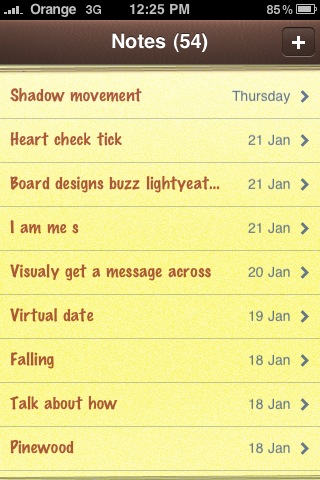
I've been using 'Notes' on my iPhone a lot recentley to jot down any ideas or thoughts I have about my projects. The process has been very useful as I don't have the best memory and don't always have my sketchbook with me.
It got me thinking about other apps that could be beneficial to my course and future career in Graphic Design. Below are my top 5 apps for designers:

1. Omnifocus

Omnifocus allows you to organise your work and is particularly useful if you have several projects on the go. It reminds you when a deadline is approaching and lets you tick off the work as your finish it.

2. Sketches

Sketches can be used along side 'Notes' if I have an idea but not sure how to express it in words, I can simply just sketch it out with my finger.

3. What the Font

What the font is a brilliant app I found recently that allows you to scan a piece of design such as a poster or web banner and then detects what font has been used.

4. Dexigner

Dexigner delivers the latest design news, events, exhibitions, conferences and design competitions. It lets you keep track of what is happening in the world of design today.

5. Adobe - Tutorials

Adobe have created several apps that consist of tutorial videos on their creative suite. I downloaded the Flash app a few weeks ago when I was creating my web banner. The menu is very useful as it allows you to select specific areas of Flash that may be troubling you and lets you watch those videos.